Runlight counts who visits your site and where they came from, from inside your own app, with every number kept in your own database.
Runlight is MIT licensed and takes one package and one route to set up, with a script under 2 KB gzipped. It sets no cookies and stores nothing personal.
npm install @runlight/sdk better-sqlite3
pnpm add @runlight/sdk better-sqlite3
yarn add @runlight/sdk better-sqlite3
bun add @runlight/sdk better-sqlite3
composer require runlight/runlight
Laravel, Symfony, and plain PHP apps on PHP 8.2 or later each take a few lines, which the PHP docs show.
docker run -p 3000:3000 -v runlight:/data ghcr.io/phillips-jon/runlight
npx runlight.sh
composer require runlight/runlight
Then copy its drop-in to your web root and add one cron line, as the PHP docs show.
wp plugin install runlight --activate
You can also search for Runlight under Plugins, Add New in WordPress, or download it from the WordPress plugin directory.
composer require drupal/runlight
You can also download the module from Drupal.org and add it to your site’s modules folder.
composer require runlight/craft
You can also install it from the Plugin Store in your Craft control panel, where Runlight has its own page.
Paste it into any coding agent to set Runlight up. The same prompt is at /prompt.txt.
Dashboard
Everything fits on one page.
The dashboard mounts inside your app at /runlight. Its first line says how many people came and how that compares with before. Six numbers sit above a chart, and below them are the pages, sources, places, devices, campaigns, and AI agents, where one click on any of them filters everything else.
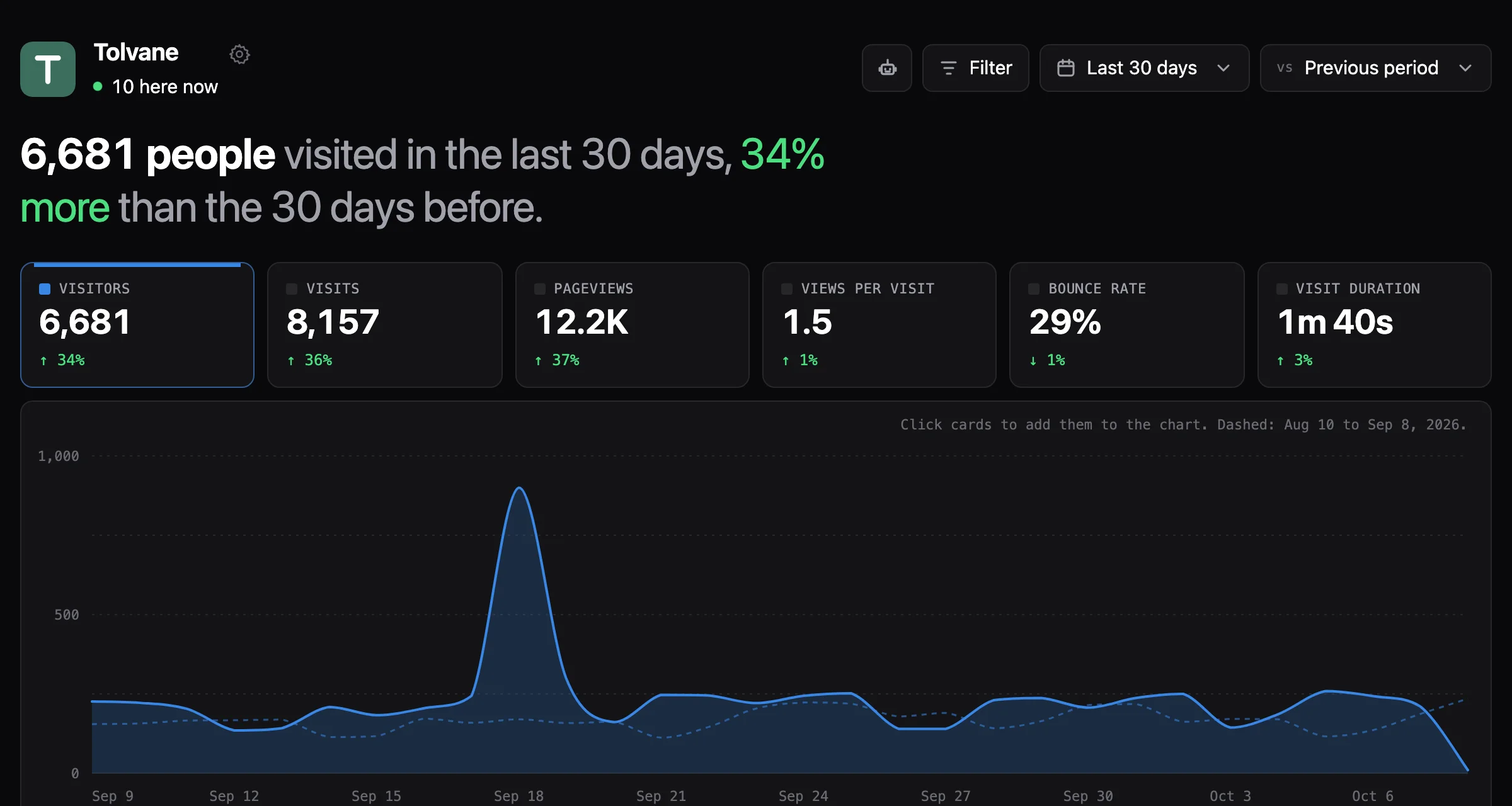
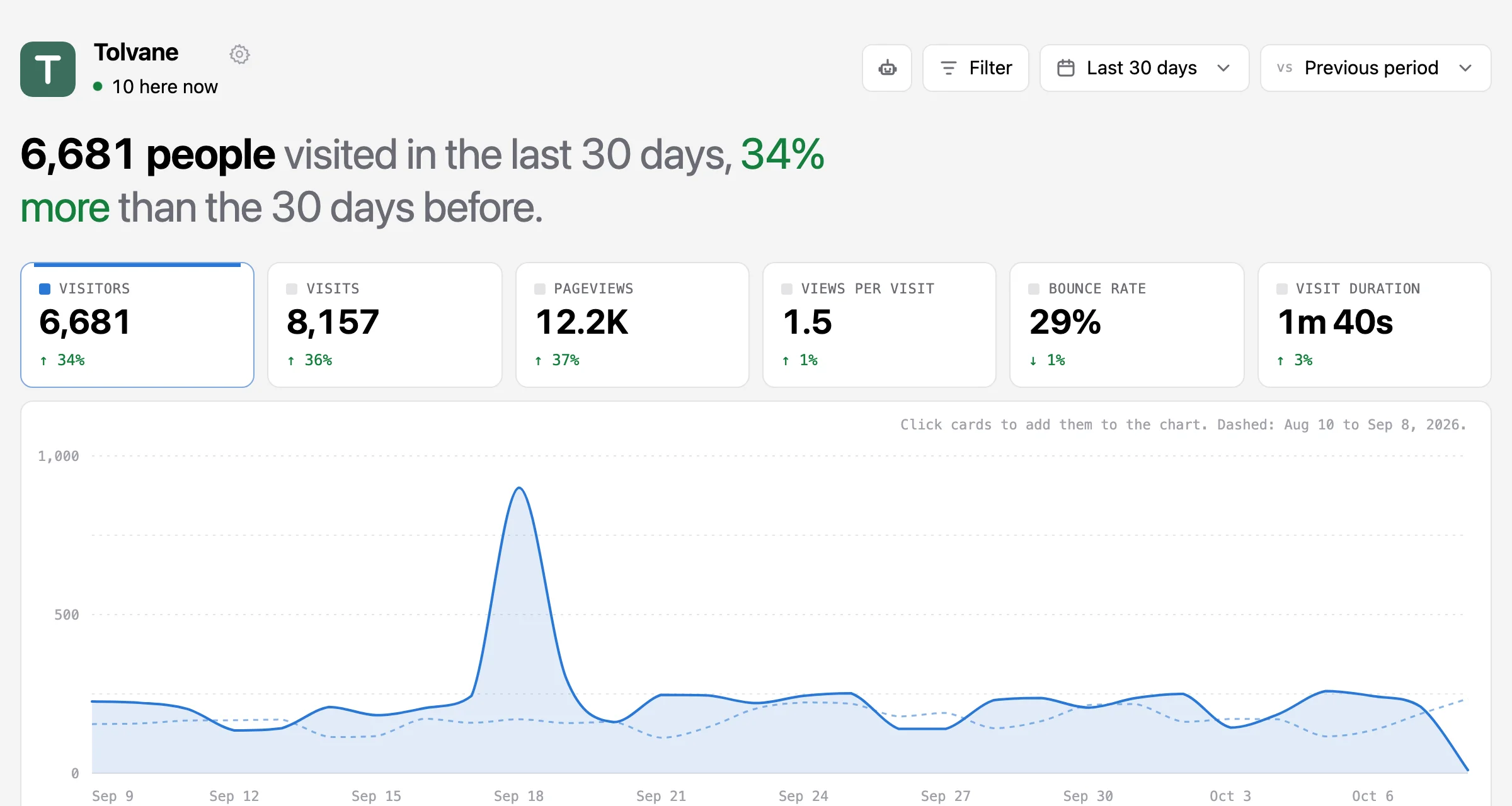
This is the dashboard as the package serves it, showing a month of a demo blog.
Install
Setup takes three files in the app you already have.
One file says where the numbers live, and a script tag in your layout counts every page. Between them sits one route that serves everything under /runlight, from the script that collects visits to the dashboard that shows them. Because the script posts to your own domain, ad blockers have nothing to block.
lib/runlight.ts
import { runlight } from "@runlight/sdk";
import { sqlite } from "@runlight/sdk/sqlite";   // or postgres

export const rl = runlight({
  store: sqlite({ path: "./data/runlight.db" }),
  site: { hostnames: ["example.com"], timezone: "Europe/London" },
});
app/runlight/[[...path]]/route.ts
import { rl } from "@/lib/runlight";

export const { GET, POST, PUT, PATCH, DELETE, OPTIONS } = rl.routes();
app/layout.tsx
<script defer src="/runlight/s.js"></script>That example is Next.js. Nuxt, SvelteKit, Astro, Remix, Express, NestJS, Fastify, Koa, Hono, Bun, Deno, and Cloudflare Workers take a few lines each, and the docs have the steps for every framework. Set RUNLIGHT_TOKEN and open /runlight to sign in.
Privacy
It counts people without knowing who they are.
Each day, at midnight in your site’s timezone, Runlight makes a new random salt. A visitor is a hash of that salt, your site, their IP address, and their browser’s user agent, cut to 64 bits. The address and the user agent are never written down, and a salt is deleted within four days, so from then on nobody, you included, can tell whether two visits came from the same person.
Runlight sets no cookies and stores nothing in your visitors’ browsers, so there is nothing to put in a banner. The one thing the script ever writes to local storage is an opt-out flag you can set in your own browser, so your visits are not counted.
- visitor
- a6fbd78a579b03bf
- arrived
- 2026-10-06 18:29 UTC, on /blog/building-runlight
- stayed
- 3 pageviews, 4m 27s engaged, left from /
- came from
- Hacker News (Social), news.ycombinator.com
- place
- New York, US-NY, US
- device
- desktop, Windows 10, Edge 129, 1920x1080, en-US
This is everything Runlight keeps about one visit from the demo. It never keeps the IP address or the user agent, and no identifier it keeps lasts longer than a day. The privacy docs explain how it works.
Sources
It knows when a visit came from ChatGPT.
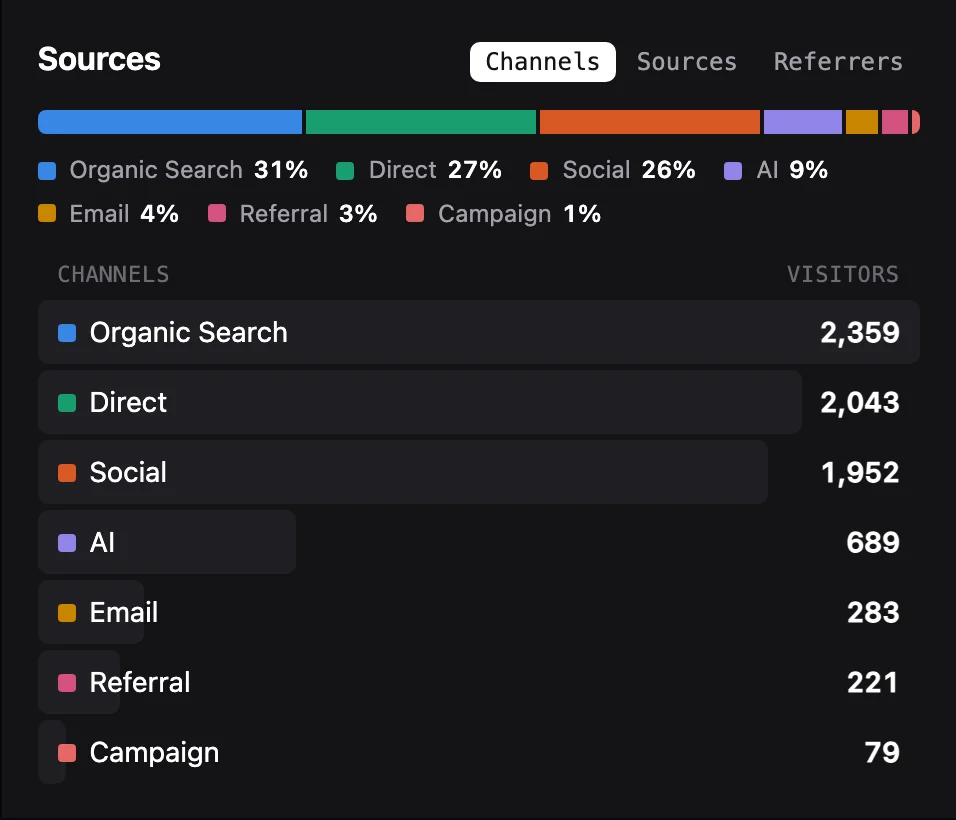
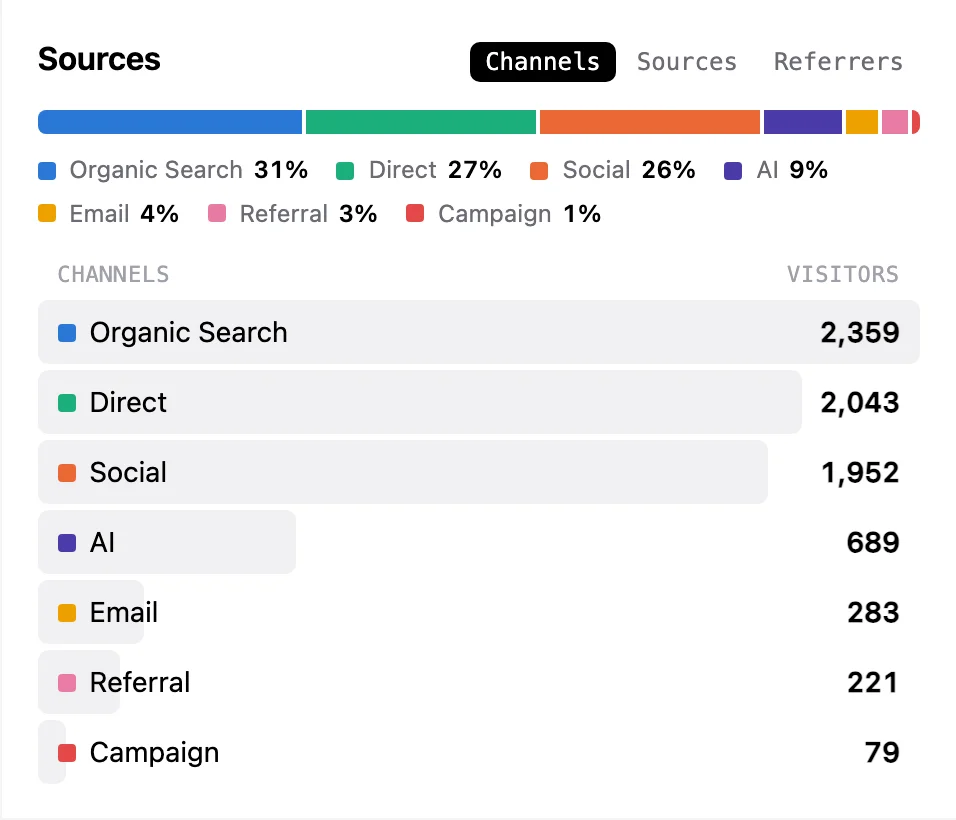
Runlight turns referrers into sources you recognise and groups those sources into channels such as search, social, email, campaigns, and AI. The AI channel holds people who clicked through from ChatGPT, Claude, Perplexity, Gemini, and the rest. Clicks that pass through newsletter trackers or webmail count as email.
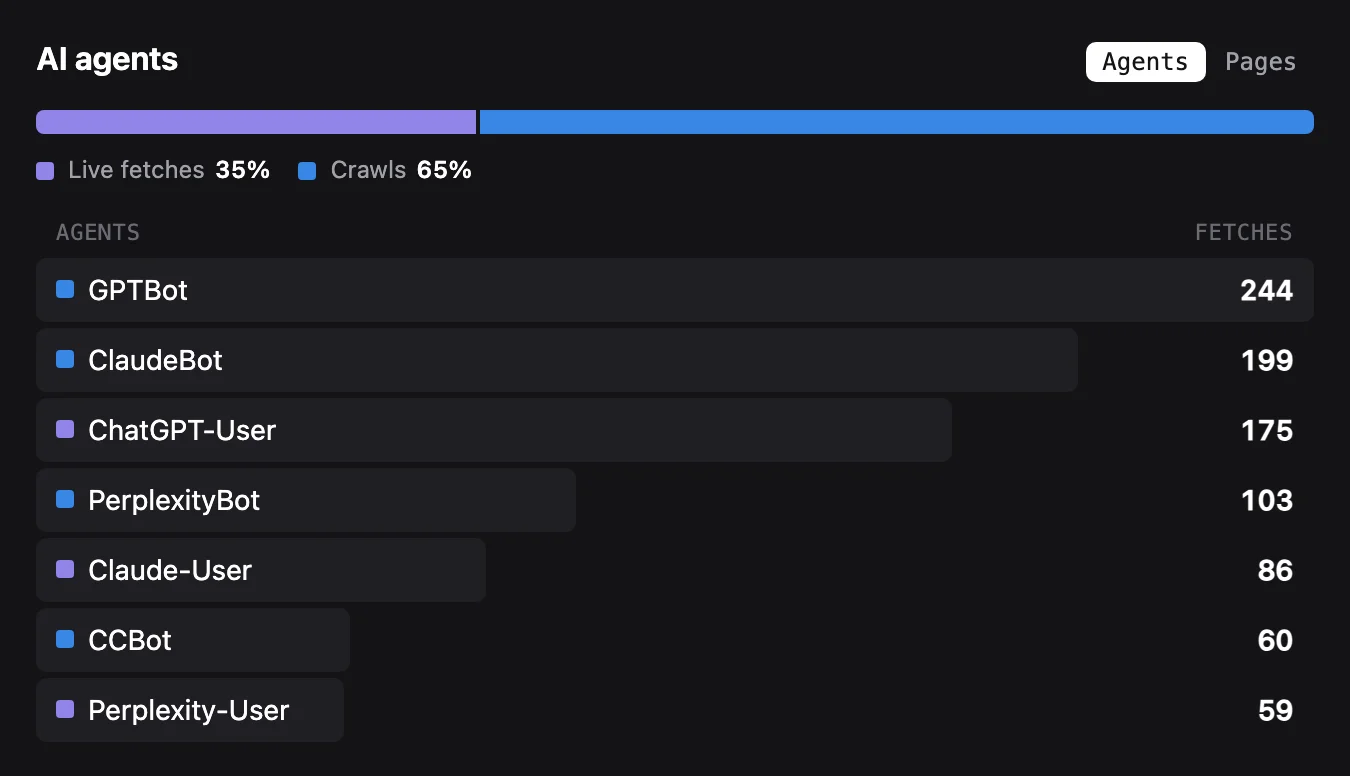
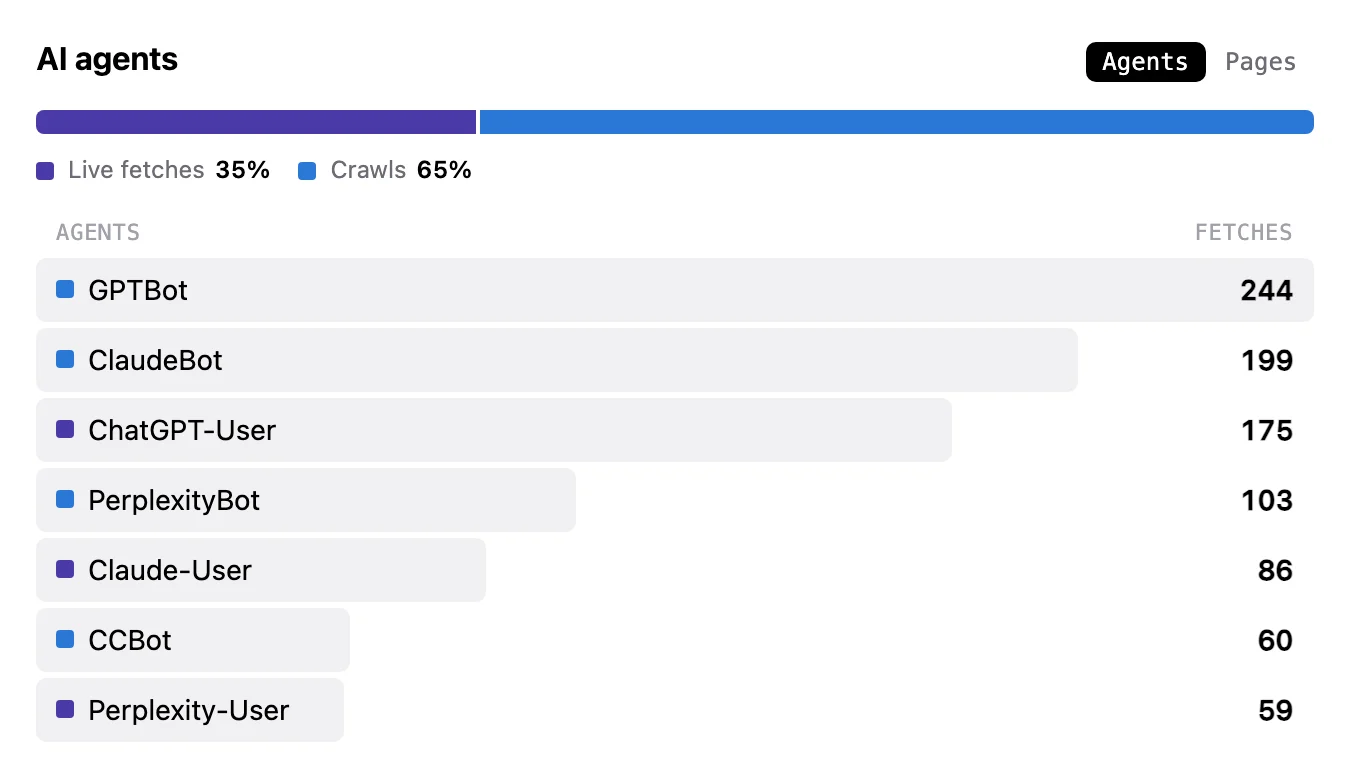
AI agents that fetch your pages to answer a question never run JavaScript, so no tracker sees them. Runlight counts them with one line of middleware, rl.observe(request).
Live
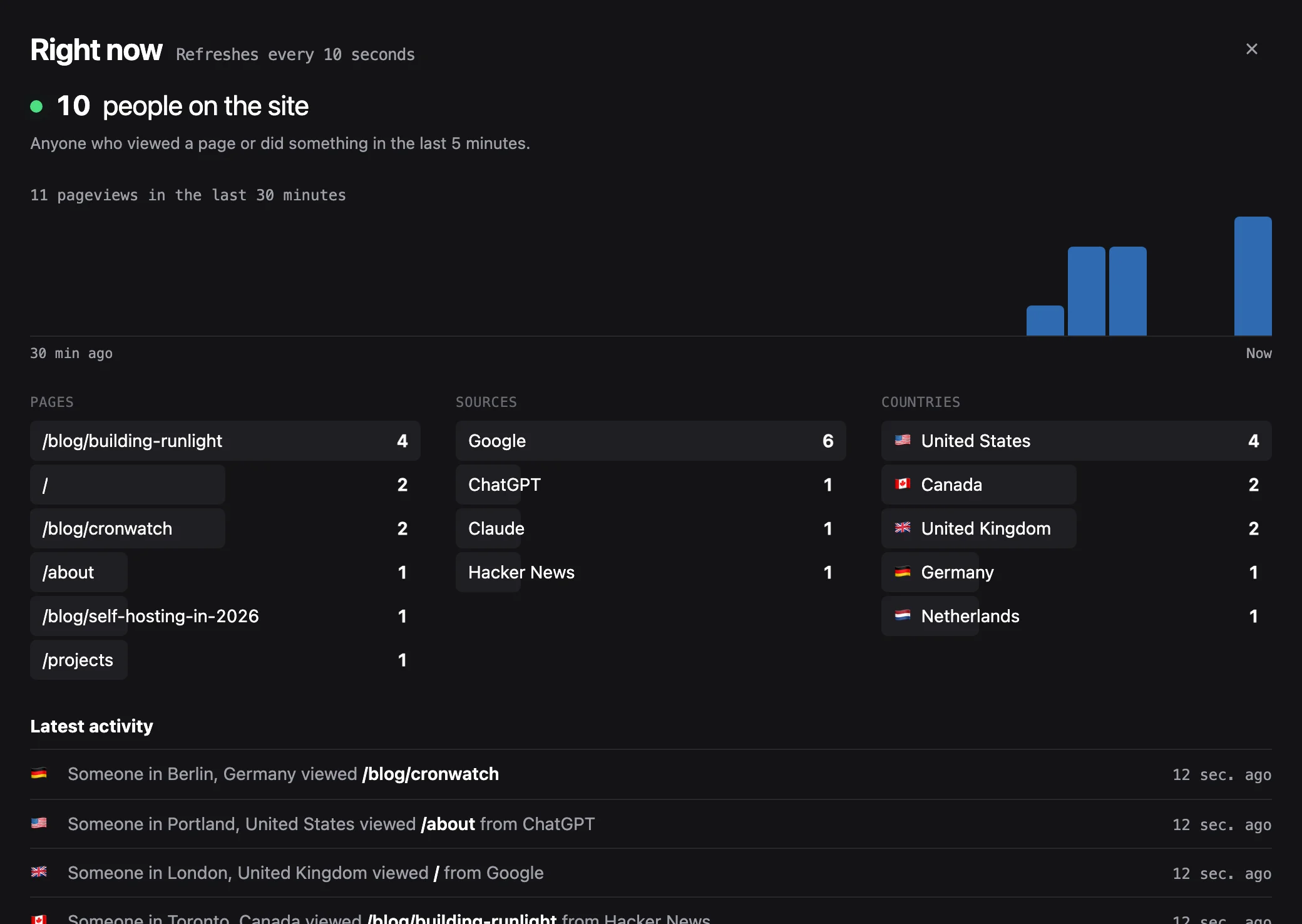
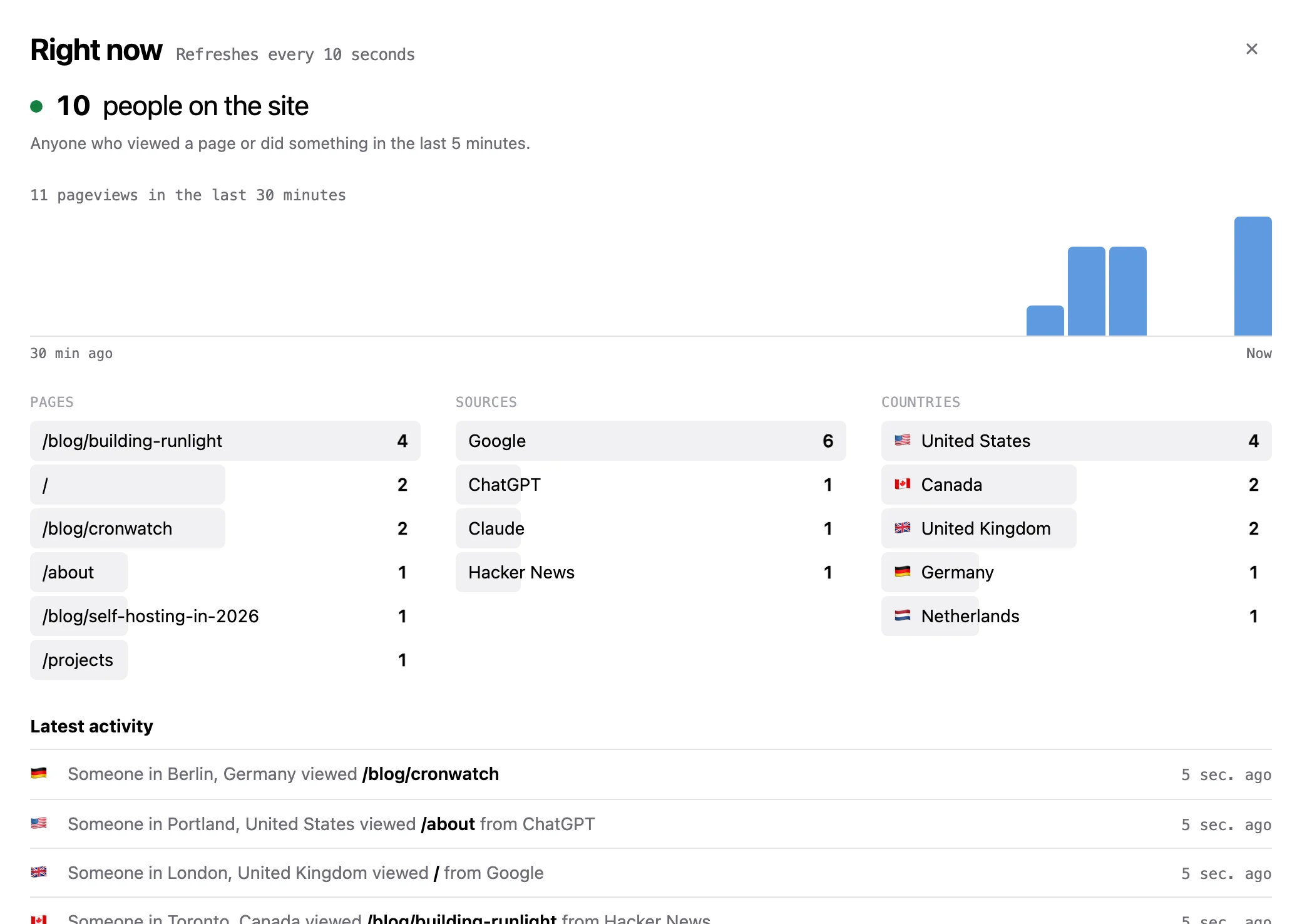
The live view shows what is happening right now.
Click “here now” for the last half hour minute by minute, the pages people are on, where they came from, and a running line of what they did. It refreshes every ten seconds.
Goals
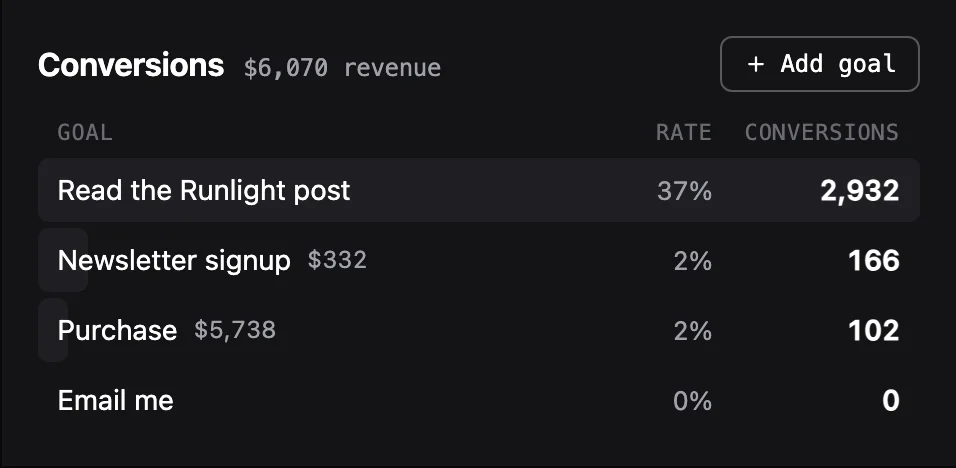
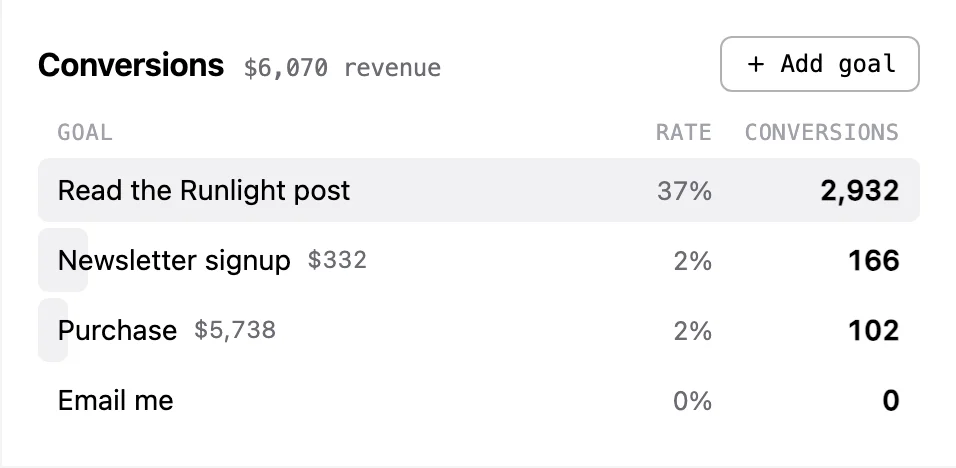
Runlight counts conversions and what they were worth.
A goal can be an event you send or a page someone reaches (/thanks* works). It can also be a click on something, which needs no code. After you press “Pick on my site” and click the button on your own page, Runlight counts it from then on.
Give a goal a fixed value or read the amount from the event, and the box shows revenue for each goal, broken down by source and page.
Goals are worked out when you read them, so an event or page goal you add today counts last month too.
Links
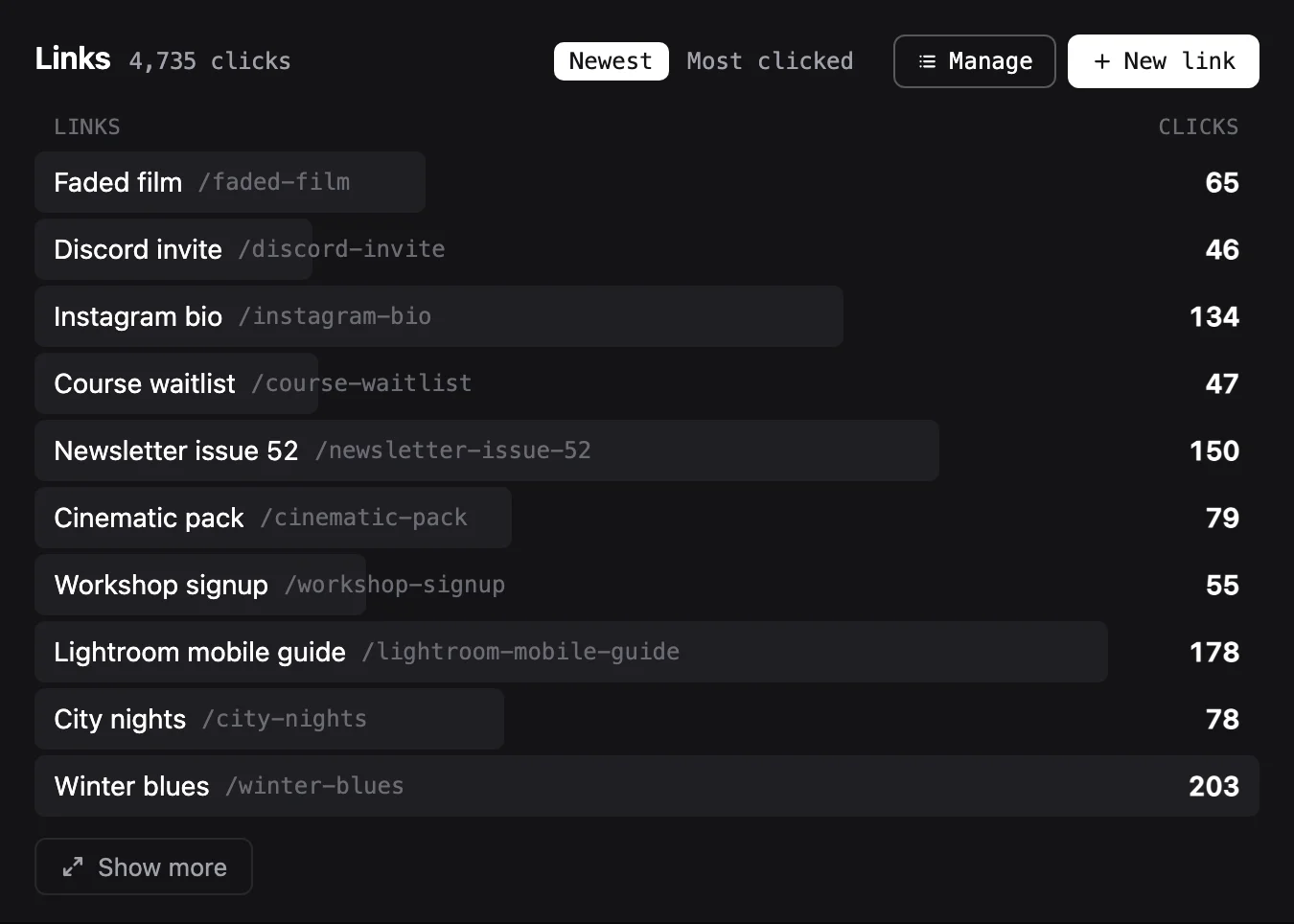
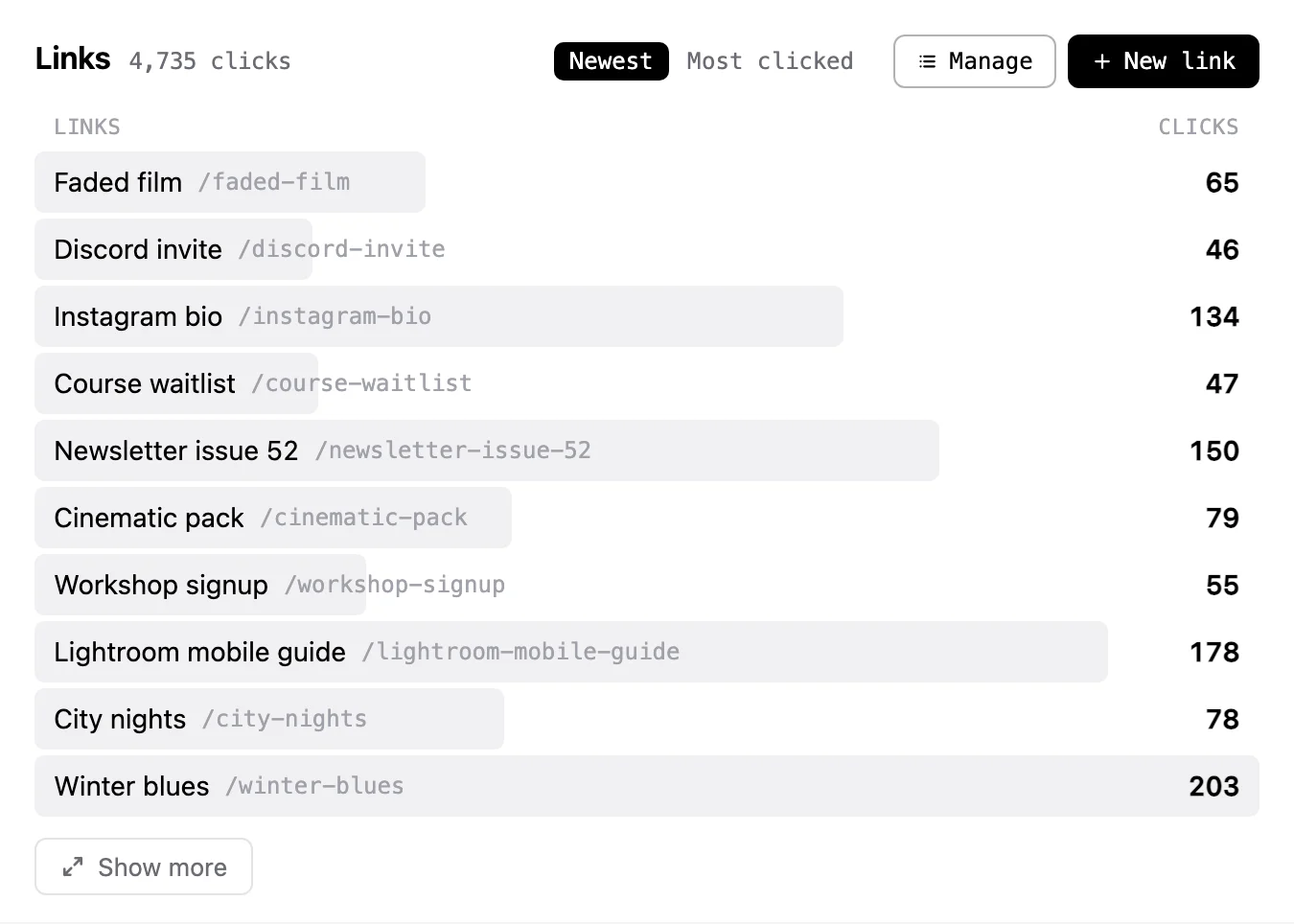
Short links on your own domain are counted like visits.
Make t.example.com/sale from the dashboard and every click is counted with its source, country, device, and campaign. Runlight handles thousands of links. Bring yours over from Umami, Dub, Bitly, Short.io, Rebrandly, or a CSV, with their click history where the service shares it.
Reports
The weekly email reads like the dashboard.
Pick who gets a weekly or monthly summary, each in their own language. It goes out from your own address through the email service you already use, and every email has a one-click unsubscribe. Keys are stored encrypted and never shown again.
 Amazon SES
 Resend
 Postmark
 SendGrid
 Mailgun
 Brevo
Brevo Mailjet
 MailerSend
 SparkPostSMTPWebhook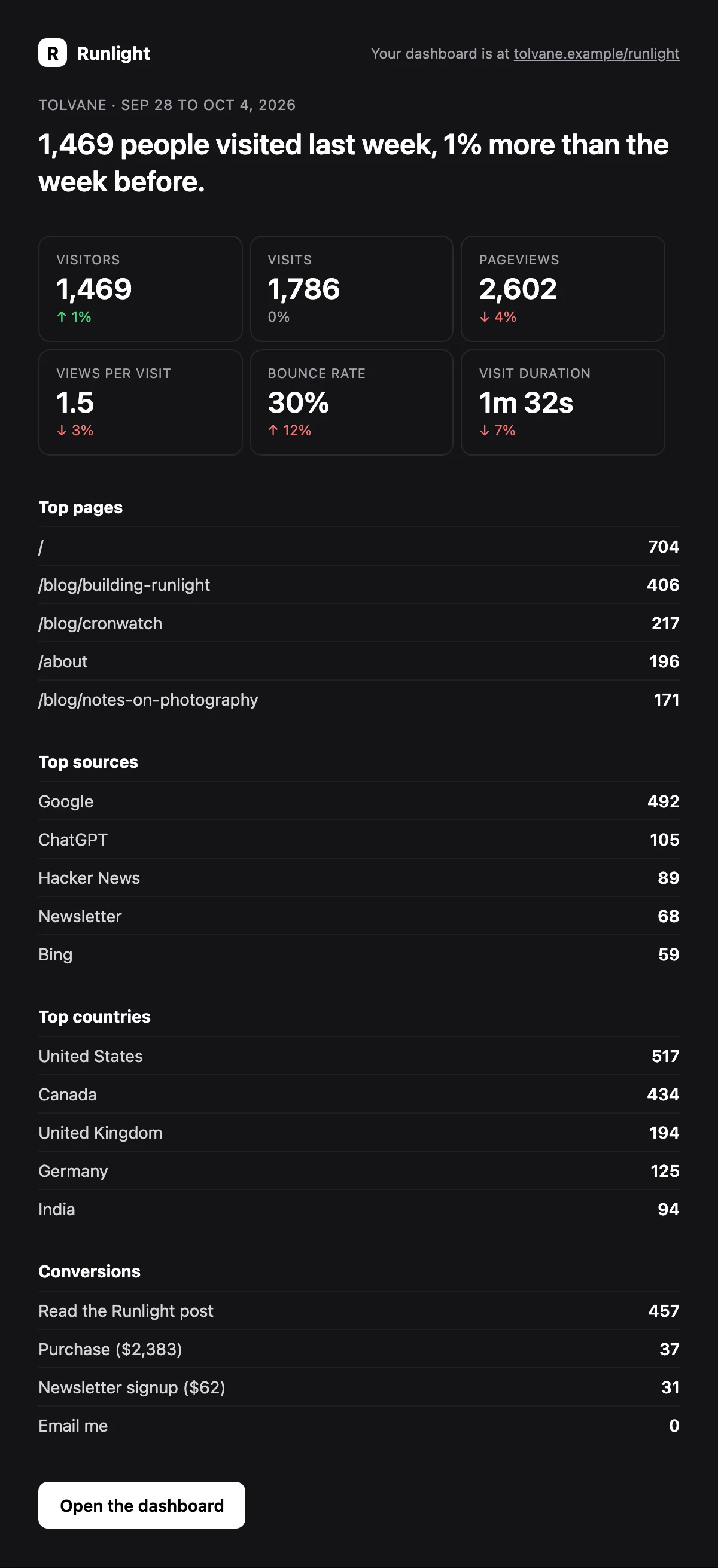
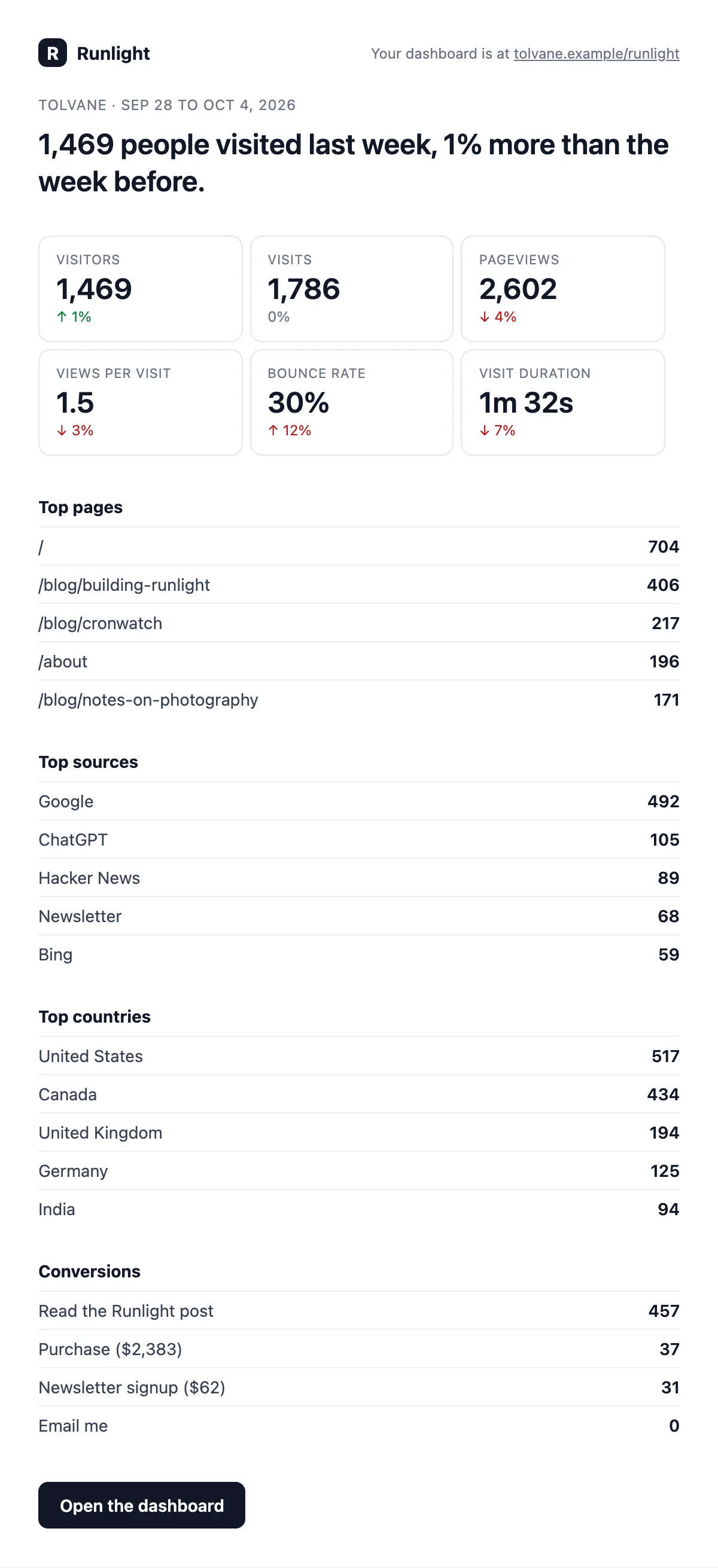
This is the weekly email for the demo site, which turns light or dark to match the reader’s mail app.
Also
Runlight also covers the rest of what you would expect.
- Sharing
- A private, read-only link opens one site’s dashboard, and it stops working when you delete it.
- Compare
- You can compare a range with the period before it or the same days a year earlier, and you can pick the comparison dates yourself.
- Filters
- You can combine filters on page, source, campaign, country, city, device, browser, and more.
- Languages
- The dashboard and the emails come in English, French, Spanish, German, and Portuguese.
- Sites
- One install can count several sites, told apart by hostname.
- Stores
- On a server Runlight uses SQLite, Postgres, or Bun’s own SQLite, and on the edge it uses Turso or Cloudflare D1.
- API
- Everything on the dashboard is available as JSON at
/runlight/api. - Ask your AI
- Claude, Cursor, and other apps that speak MCP can answer questions about your stats with a read-only token. See how to connect one.
Why
Your analytics can live in the app that serves your pages.
Runlight does its counting in the app you already run and keeps the numbers in the database you already back up. You learn which pages people read and where they came from while every visit stays on your own servers, and the cost stays the same however much your traffic grows.
It never keeps anything that could say who a visitor was, so you have no cookie banner to add and no third party to trust with your visitors. The data is yours from the first visit, and it stays in a database you can query or delete whenever you like.
Count your first visit in about five minutes.